restore old photos
3 free AI edits$2.99/month
 for iPhone, iOS 26 or later
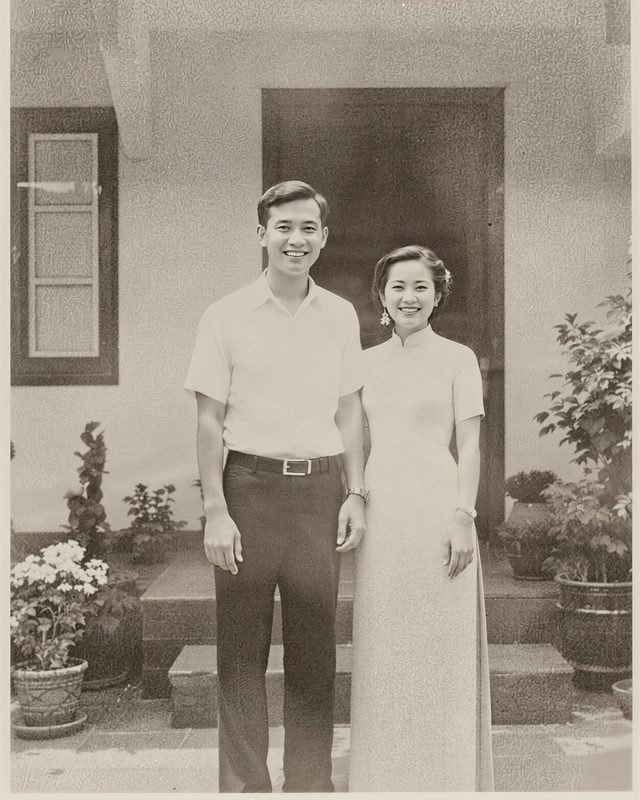
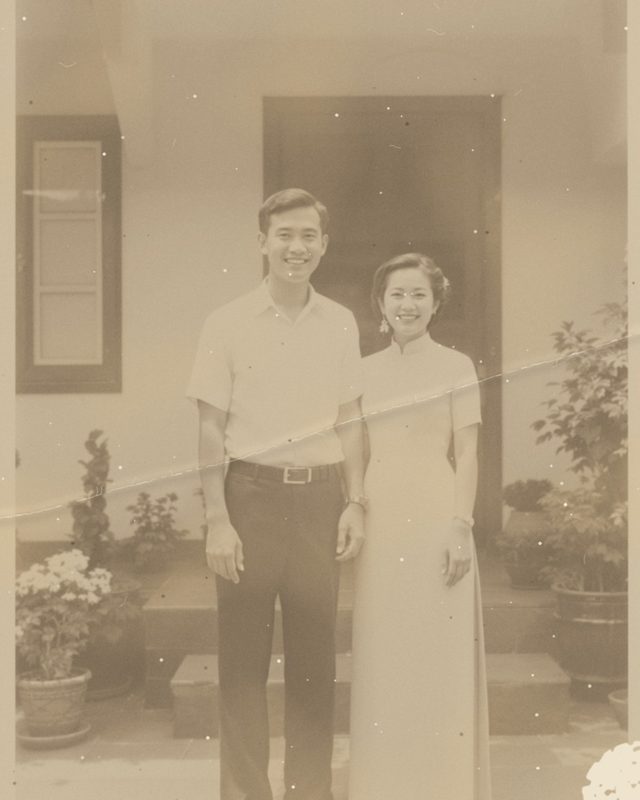
Take a photo of an old print or pick a scan. The AI removes scratches, creases and dust and sharpens detail, while faces and original tones stay the same.
Works on any iPhone with iOS 26 or later.
Your first 3 AI edits are free.
how it works
- 1Photograph or pick the old photo
- 2Tap restore
- 3Save in full resolution
questions
How do I restore an old photo on iPhone?
Take a photo of the print with your camera or pick a scan, open it in Rupa, choose restore old photo and tap restore. The AI removes scratches, cracks, stains and grain and sharpens detail, keeps faces and the original black-and-white or sepia tones, and you save it in full resolution.
Is restoring old photos free?
Your first 3 AI edits are free. After that it is part of Rupa Plus, a monthly or yearly plan with no weekly option.
What happens to my old photo?
It is sent to our AI partner only for this edit, after you allow it, and Rupa deletes it within 24 hours. It is never used for training.